 MobA11y
N-ARIA: Native Mobile Accessibility, part 2 of 9
Testing Effort Against User Impact
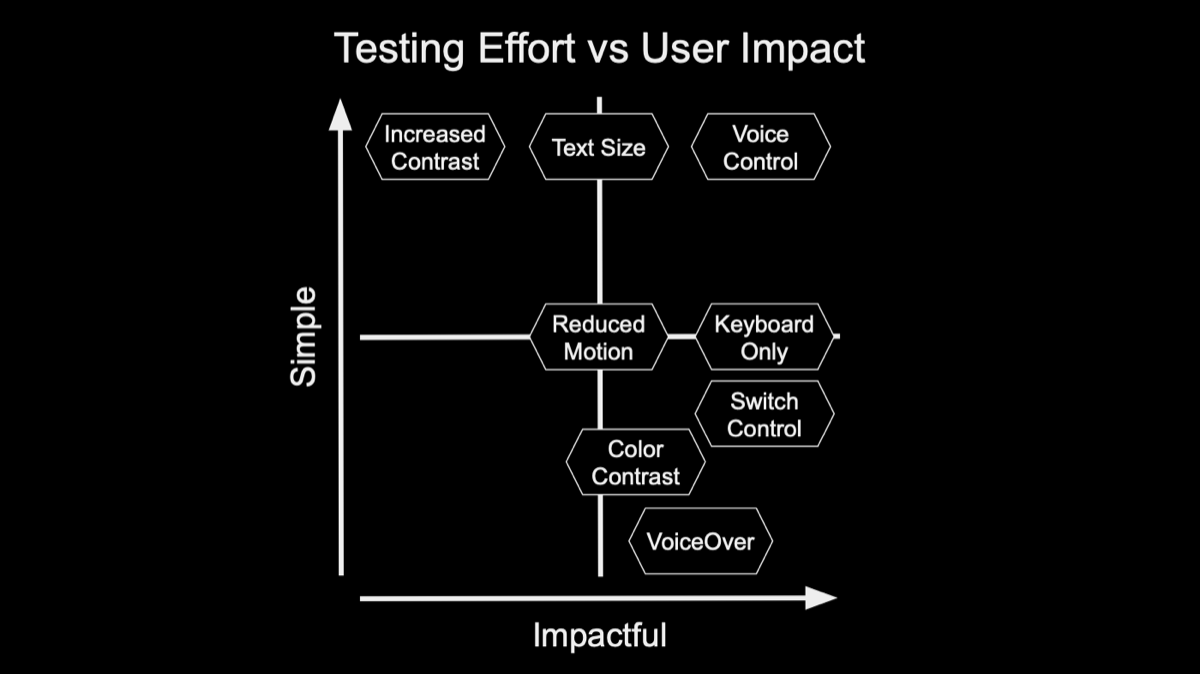
Every accessibility setting matters to the people who rely on it. What differs is how long each one takes to test and how badly a failure blocks someone. Plotting both shows where to start, so nothing waits too long.
| Setting | Testing effort | When it fails |
|---|---|---|
| Increased Contrast | Simple | Text gets harder to read |
| Text Size | Simple | Words truncate and layouts break |
| Voice Control | Simple | Controls with no name can't be spoken |
| Reduced Motion | Medium | Animation can cause real discomfort |
| Keyboard Only | Medium | Actions can't be reached |
| Switch Control | Harder | Actions can't be reached |
| Color Contrast | Harder | Text and icons can't be seen |
| VoiceOver and TalkBack | Hardest | A whole screen can be unusable |
- Start with what's quick: Voice Control and Text Size take minutes to try on every screen, and they catch real problems early.
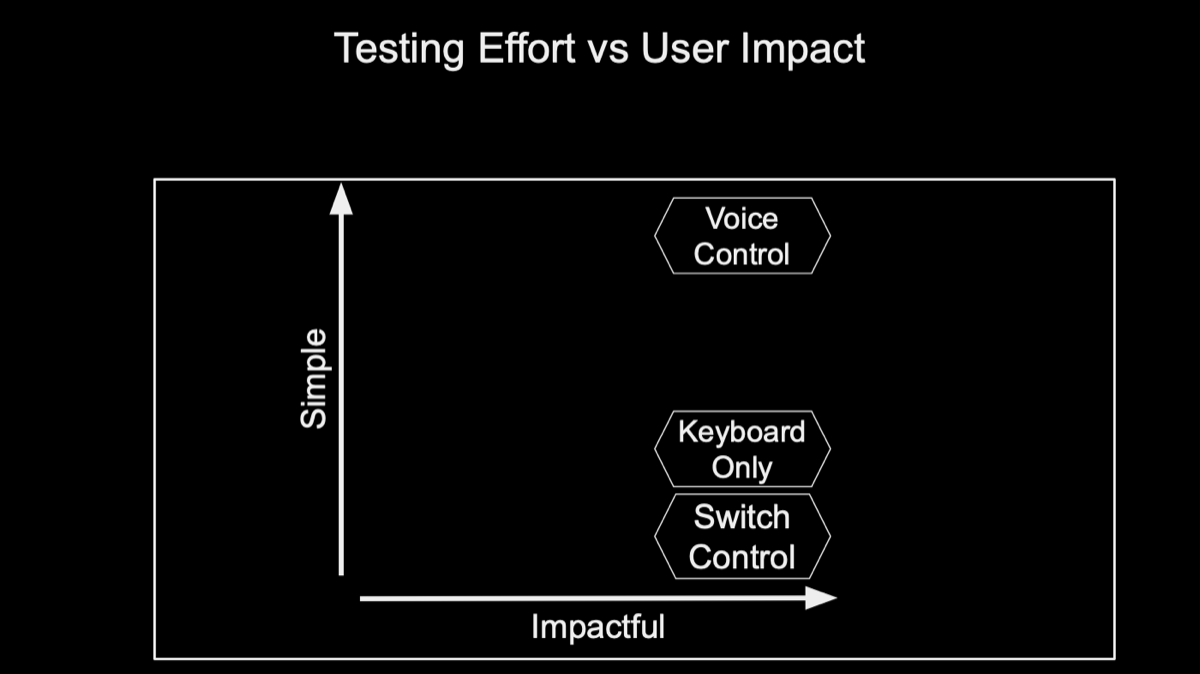
- Group the input methods: Voice Control, Keyboard Only and Switch Control test the same thing: can every action be reached without touch?
- Give screen readers the most time: VoiceOver and TalkBack take the most skill to test well, and a failure there can shut someone out of a whole screen. That's where N-ARIA earns its keep.